Mojini V3: Easily access Karnataka land records, maps, and application status online. Quick and simple guide for all citizens (2025).
What is Mojini V3?
Mojini V3 is an online service started by the Karnataka Government to help people easily view and manage their land records. With Mojini V3, you do not have to visit government offices many times to get information about your land, maps, or documents. Everything is available online through the portal and mobile app.
Mojini V3 Portal Overview
| Feature | Details |
|---|---|
| Launched By | Karnataka Revenue Department |
| What It Does | Manages digital land records and services |
| Website | bhoomojini.karnataka.gov.in |
| Sketches Available | 11E, Alienation, Phodi |
| How to Use | Website and Mobile App (Android only) |
| Who Can Use | Anyone in Karnataka who deals with land |
| Main Aim | Make land records simple, transparent, and quick |
Mojini V3 Key Features
Mojini V3 has many useful features—
- Anytime Access: Check your land records, survey numbers, application status, documents, and maps from anywhere, anytime.
- Land Sketches and Maps: Get 11E sketches, Alienation sketches, and Phodi sketches easily for your property—useful for legal purposes, land division, or buying/selling.
- See Village Maps: Find your village map and see the boundaries of your land quickly.
- Track Your Applications: Know exactly what is happening with your application just by entering your mobile number or application number.
- Easy Payments: Pay online for different land services—no need to carry cash or wait in lines.
- Safe Document Storage: All your important land documents are stored safely and can be downloaded whenever you need.
- Raise Complaints: File complaints or suggestions easily through the app or website.
- Get Latest Updates: Mojini V3 keeps you updated with all latest notices, land policy changes and new government schemes.
Benefits of Using Mojini V3
- Honest and Transparent: Because all records are online, there are less chances of corruption or cheating.
- Saves Time and Effort: No more running around government offices—get your work done from home, office, or even from your mobile.
- Correct Information: Digital records mean fewer mistakes or missing documents.
- Easy Access for All: Whether you are a farmer, house owner, or businessperson, you can check your land details easily.
- Supports Farmers and Buyers: Helps in buying/selling land legally, fast, and without confusion.
Aim of Mojini V3
The main aim of Mojini V3 is to make Karnataka’s land services fully digital. This makes things simple for the public, helps prevent land disputes, and ensures every record is stored safely for future use.
Important Mojini V3 Links
| Service | Link/How to Access | Description |
|---|---|---|
| Main Portal | bhoomojini.karnataka.gov.in | View/apply for all land services |
| Mobile App (Android) | Mojini (Google Play Store) | App for documents and sketches |
| Check Application Status | Status option on portal/app | Track progress of your request |
| New Registration / Login | Registration on portal/app | Create your user account |
| Land Sketch/Documents | Land Sketch | Download 11E, Alienation, Phodi |
| Village Map | “Village Map” option on portal/app | See your village layout |
Latest Mojini V3 News (2025)
- July 2025 Update: Mojini V3 gets a fresh design with auto alerts for survey completion and a new feature to digitally verify your documents. This makes everything faster and even more secure.
- June 2025: The Mojini app was downloaded over 20 lakh (2 million) times. People from all regions of Karnataka are using it.
- April 2025: Now you can access RTC (Record of Rights, Tenancy, and Crops) directly from Mojini for a complete land report!
What is Mojini V3 App?
The Mojini V3 App lets you use most of the portal’s services directly from your mobile phone. You can:
- Download important land documents
- Check the status of applications at any time
- See land sketches and village maps
- Pay fees for document requests
- Register complaints
- Get regular land-related updates
How to Download the Mojini App
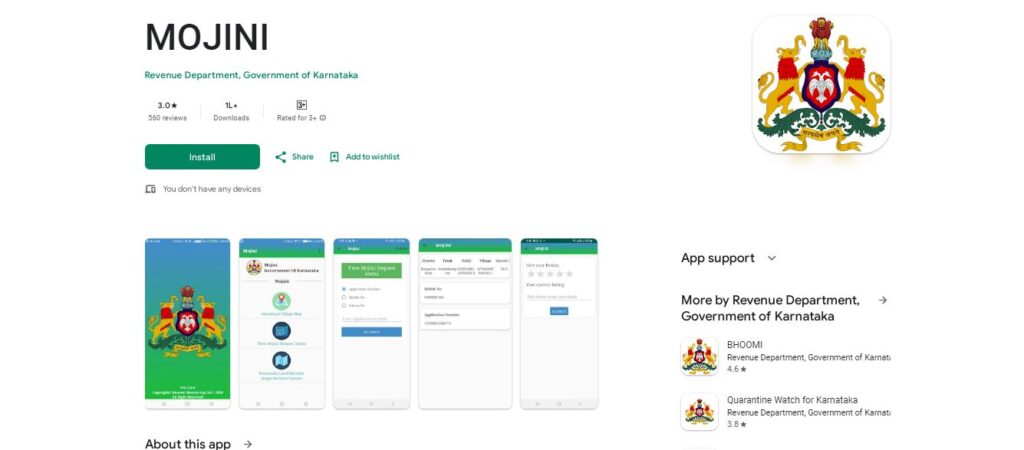
- Android Phone: Open Google Play Store, search for “Mojini”, and install the app developed by Karnataka Revenue Department.
- iPhone (iOS): Currently Mojini app is not available on the App store. So if you want to use the app please use an Android device or a desktop device
- Direct Download & Help: You can also visit the official website bhoomojini.karnataka.gov.in for the latest download links and help.
How to Use the Mojini App
- Open the Mojini App on your phone.
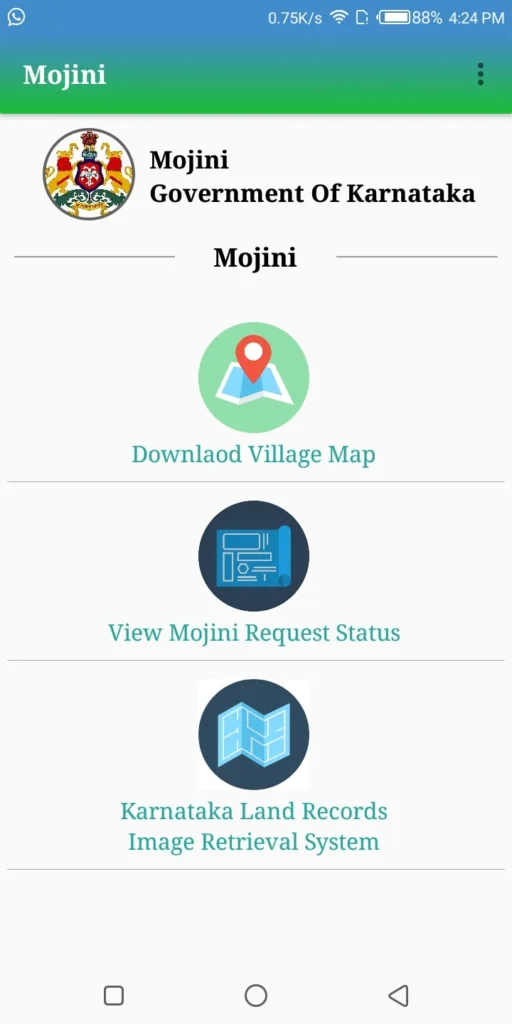
- Choose what you want to do (e.g., Check application status, view documents).
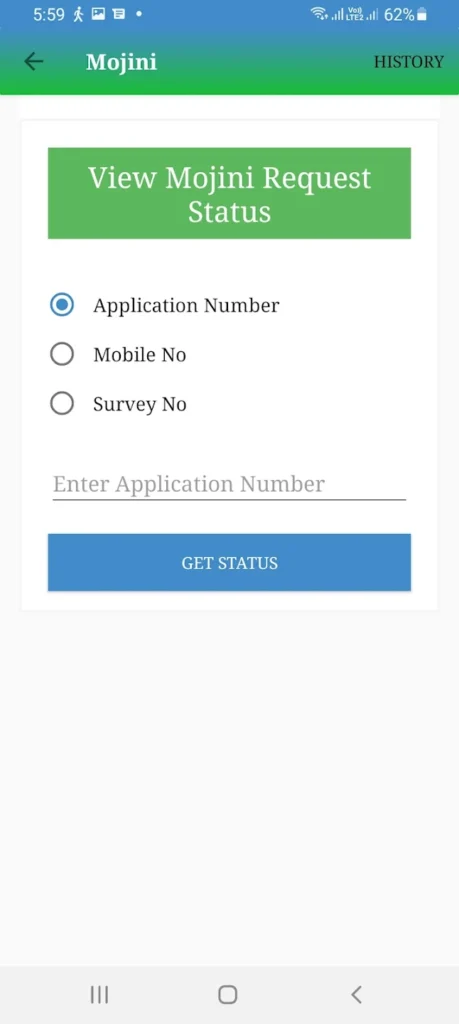
- Enter your mobile number, application number, or survey details as needed.
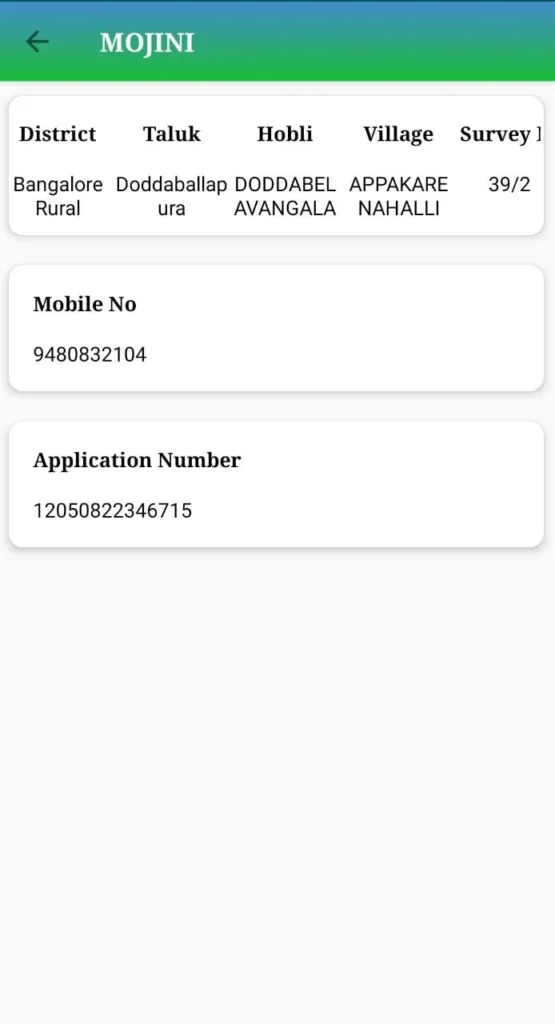
- You can view, download, or apply for new documents directly from the app.
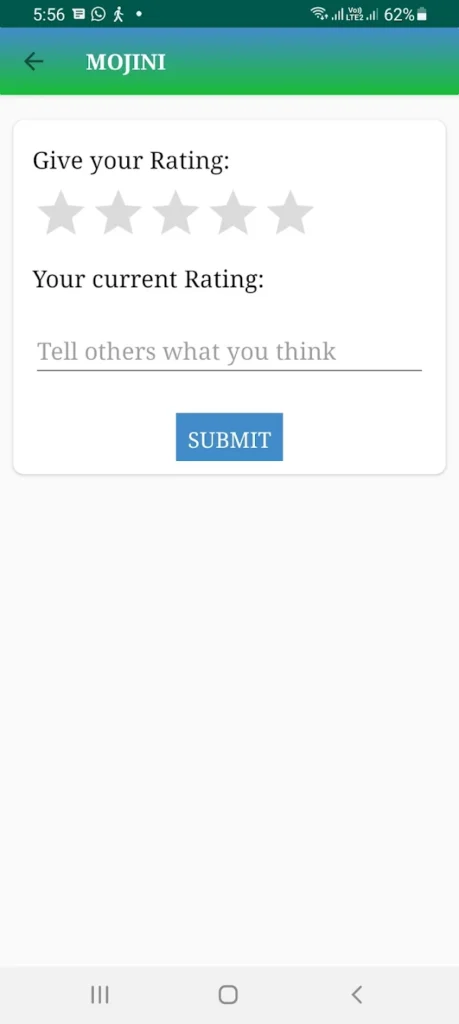
- For complaints, fill out the grievance form in the app.
How to Login to Mojini V3
- Go to bhoomojini.karnataka.gov.in and click on “Login”.
- Enter your username and password or get OTP (One Time Password) on your mobile.
- If you are new, click on “Register”. Fill in your Aadhaar, mobile number, email, and set a password.
- Confirm registration using the OTP sent to your phone.
How Mojini V3 Helps People in Karnataka
- Anyone can check land documents in minutes—no middlemen needed!
- You get SMS and online updates about your application, which saves a lot of time.
- Because records are digital, it helps solve land disputes and confusions quickly.
- Farmers, buyers, sellers, and bankers—all get reliable documents for their work.
- Useful for legal matters, selling or buying property, and applying for government schemes.
How to Check Mojini V3 Application Status
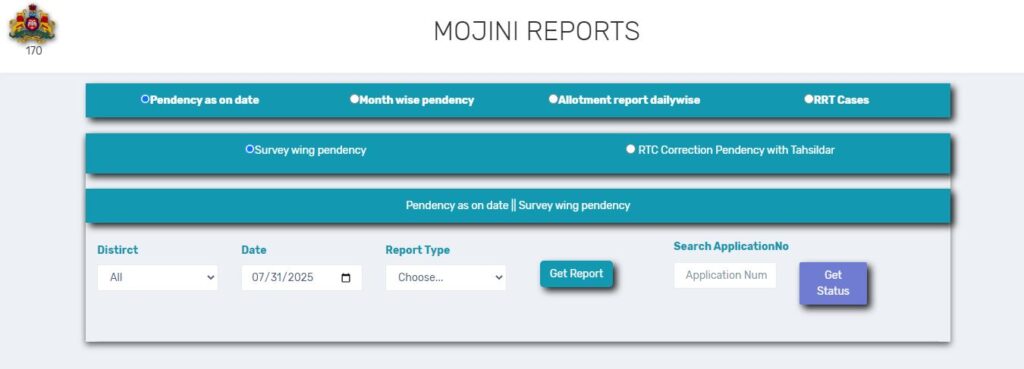
Open the Official Website
Start by visiting the Karnataka Land Records website. This is the official place where all Mojini V3 services are provided for people across Karnataka.
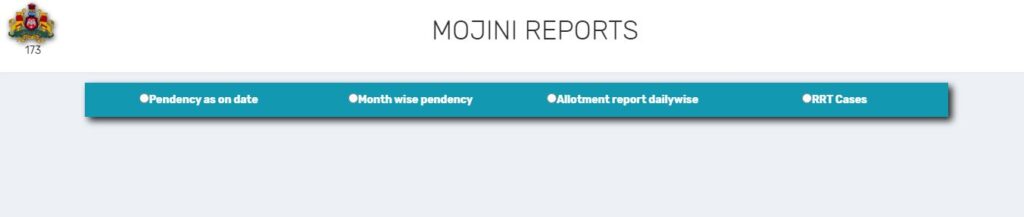
Find the Mojini V3 Section
Once you are on the website, look for a menu, section, or tab that mentions “Mojini” or “Mutation.” Mojini V3 is designed to help you with land-related processes, so this section should be easy to spot on the homepage or main menu.
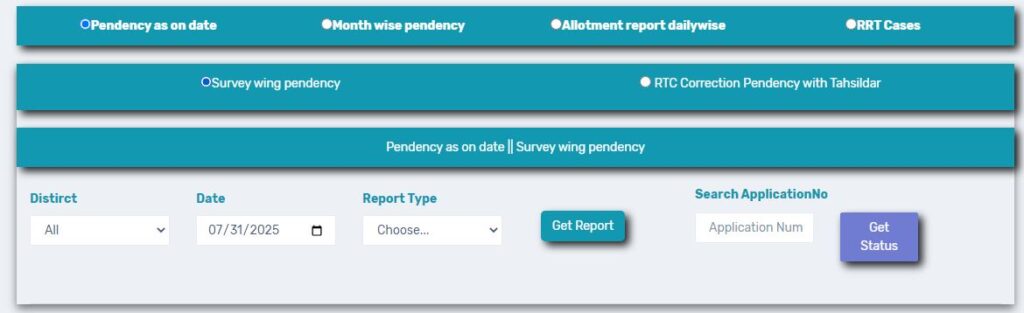
Enter Your Details
You will now see a simple form asking for information. Just type in your application number—this is what helps the portal find your application. Sometimes, you might also need to enter your mobile number or land survey details. Ensure the information you provide is correct for best results.
Check Your Application Status
After entering the required details, look for a button that says something like “Fetch Status” or “Get Status.” Click on it. In a few seconds, you will see the latest status of your application right on your screen. This will tell you whether your request is approved, pending, or if any extra information is needed.
How to View 11E Sketch, Alienation, and Phodi Sketch

- Go to Mojini portal or app.
- Go to “Sketches.”
- Enter required details (property info or application number).
- Download or view 11E, Alienation, or Phodi sketches directly.
How to View the Village Map
- Open the Mojini portal/app.
- Choose the option “View Village Map.”
- Enter your village or survey number.
- See and download the village map in just a few clicks.
How to Apply for Survey Documents
- Login with your user account.
- Click on “Apply for Survey Documents”.
- Fill in all property details, owner information, mobile number, and email.
- Pay the required fee online.
- Track your document request in the app or on the website.
How to View Survey Documents
- Login to Mojini V3.
- Go to “My Applications” and select “Documents/Sketches.”
- Download or view the document you need—instantly!
What is the Purpose of Mojini V3?
Mojini V3 was created to make land records easy to use, safe, and clear for everyone in Karnataka. It centralizes all property records, helps prevent fraud, and speeds up all processes related to land and property.
Latest Mojini V3 News (2025)
- July 2025 Update: Mojini V3 gets a fresh design with auto alerts for survey completion and a new feature to digitally verify your documents. This makes everything faster and even more secure.
- June 2025: The Mojini app was downloaded over 20 lakh (2 million) times. People from all regions of Karnataka are using it.
- April 2025: Now you can access RTC (Record of Rights, Tenancy, and Crops) directly from Mojini for a complete land report!
Steps for Implementing Mojini V3
- Government digitizes all old and new land records.
- People register their property and personal details online.
- Officials check and approve any updates or changes.
- Documents get generated and can be downloaded easily.
- Everything is updated in real-time.
Mojini Contact Details
- Website: bhoomojini.karnataka.gov.in
- Helpline Numbers: 080-22255623 / 080-22258623
- Helpdesk Email: revenue.karnataka@gov.in (Always check portal for latest)
- Mojini App: In-app chat and help features present
Frequently Asked Questions (FAQs) About Mojini V3
Is Mojini V3 free?
Yes, MOJINI V3, the software for issuing land survey sketches in Karnataka, is free to use.
Who can use this Mojini service?
Any Karnataka resident, landowner, legal advisor, or official can use Mojini V3.
Is Mojini app available on iPhone?
No, the Mojini app is available for Android; you can check the portal for iPhone updates.
What if I forget my password?
Click “Forgot Password” and reset using your registered mobile number and OTP.
Can I solve disputes with Mojini V3?
You can see dispute status, all history, and even raise complaints online.
Mojini V3 is transforming how Karnataka manages land records—making information open, quick, and truly for the people. Whether you are a farmer, a house owner, or a young investor, Mojini V3 puts the power of land records directly into your hands!
About The Author